
PENCA Emergency
Install PENCA Emergency on Your iPhone
This will install a one-touch PENCA Emergency button on your iPhone Home Screen. Once installed, a single tap immediately places an emergency call to the PENCA Guard Station using WhatsApp
Installation time: About 3 minutes
Requirement: WhatsApp must be Installed WhatsApp is a free calling app. If you do not already have it installed on your Iphone click here for a link to the Apple Store
Before You Begin
After you tap Install PENCA Emergency below, Apple Shortcuts will open. Follow these steps:
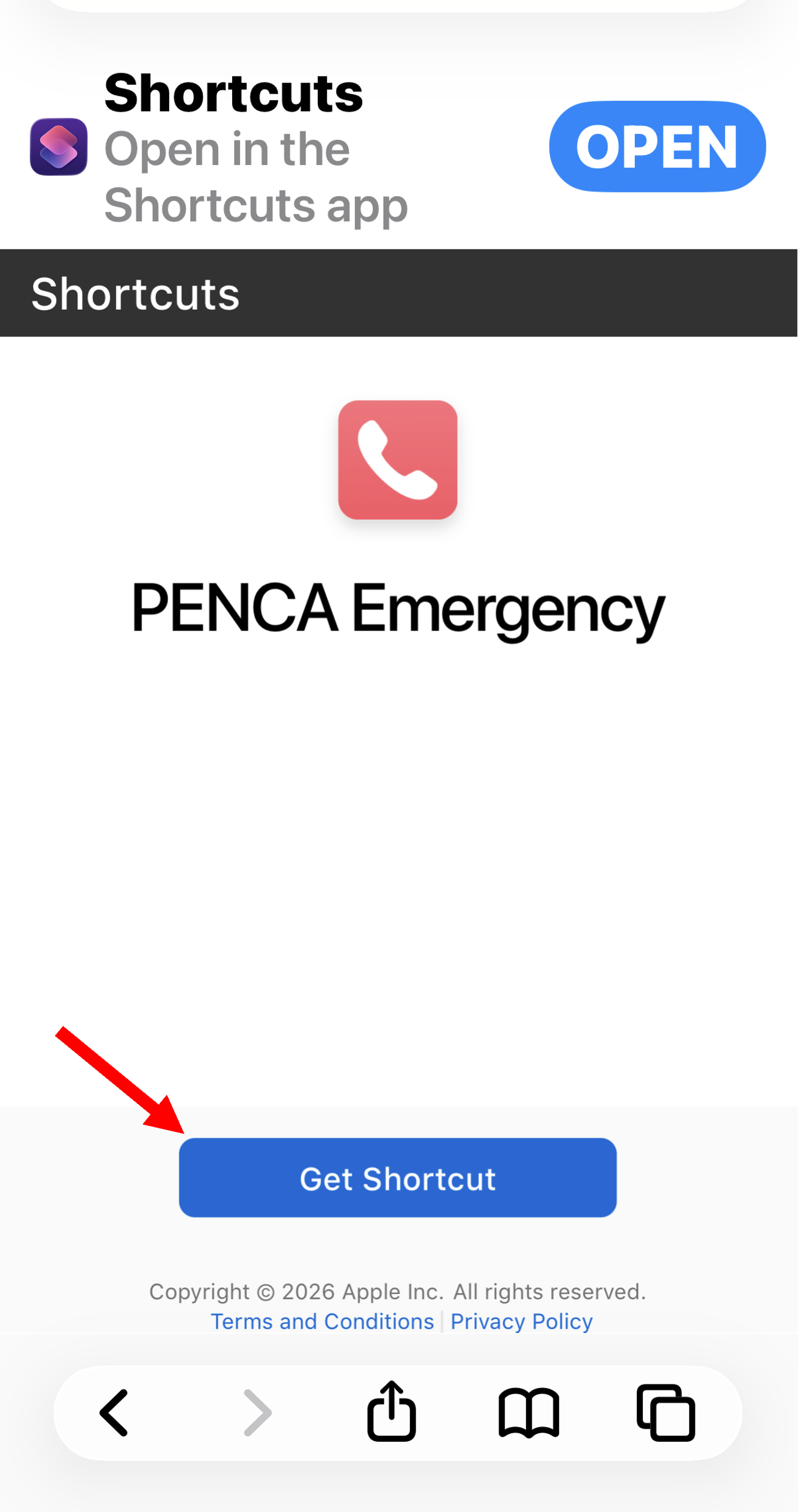
1. Tap Get Shortcut.
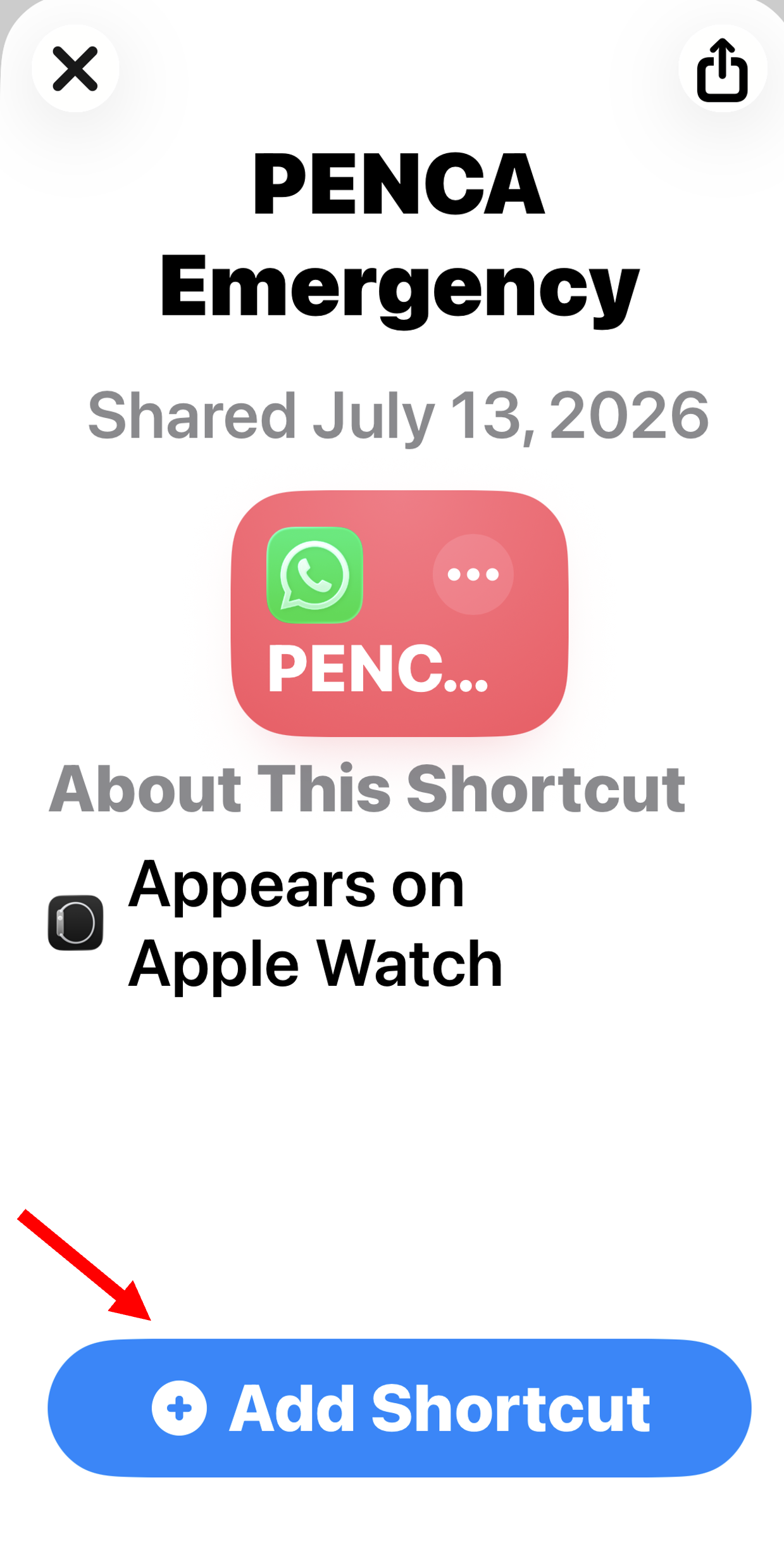
2. Tap Add Shortcut.
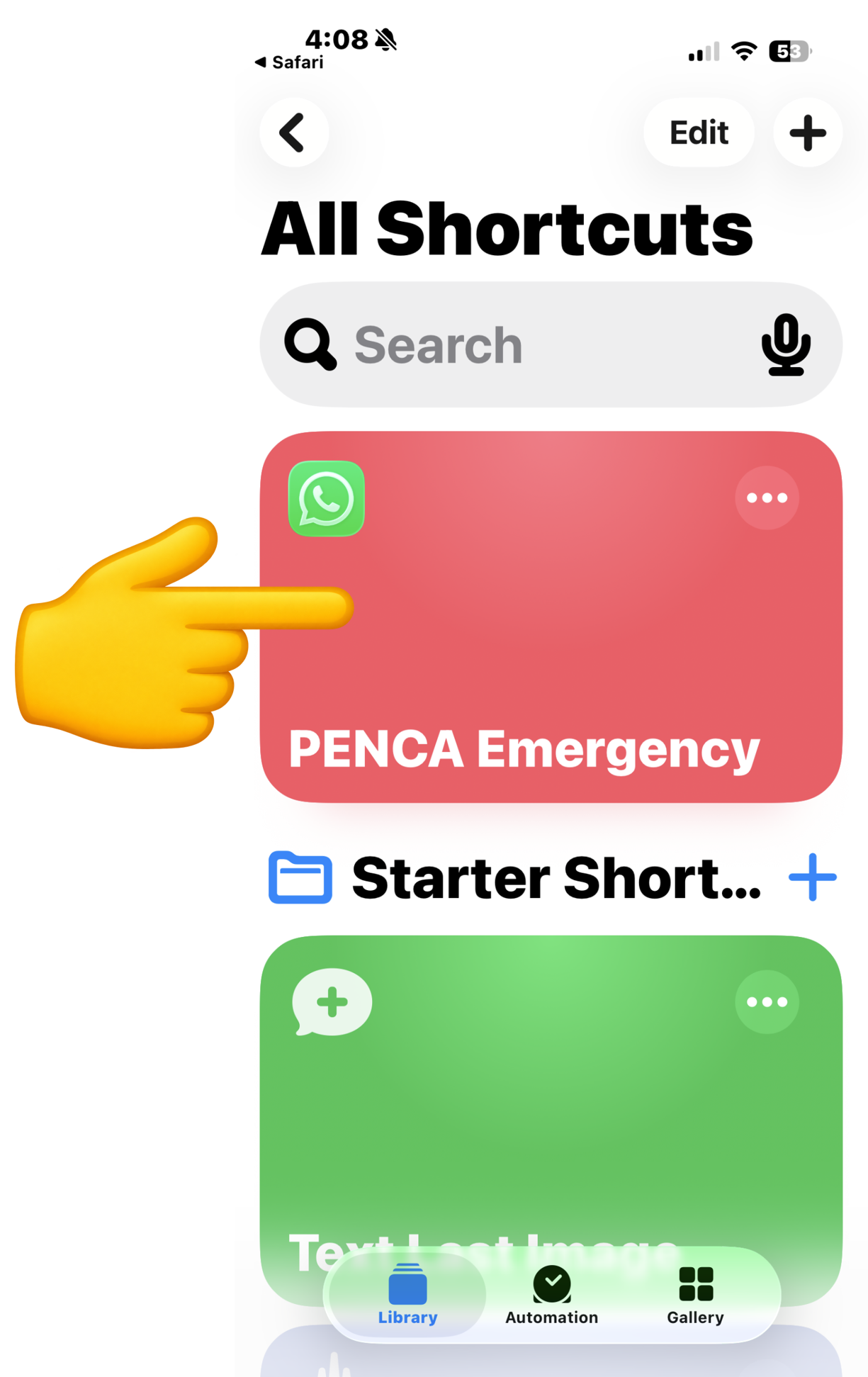
3. On the All Shortcuts screen, press and hold PENCA Emergency.
4. Tap Details.
5. Tap Add to Home Screen.
6. Tap Add.
1- Tap “Get Shortcut” then on the next screen you see tap “Add Shortcut”
2 – Press and hold PENCA Emergency
On the All Shortcuts screen, press and hold PENCA Emergency until a menu appears. If the menu disappears, tap the back arrow and press and hold PENCA Emergency again.
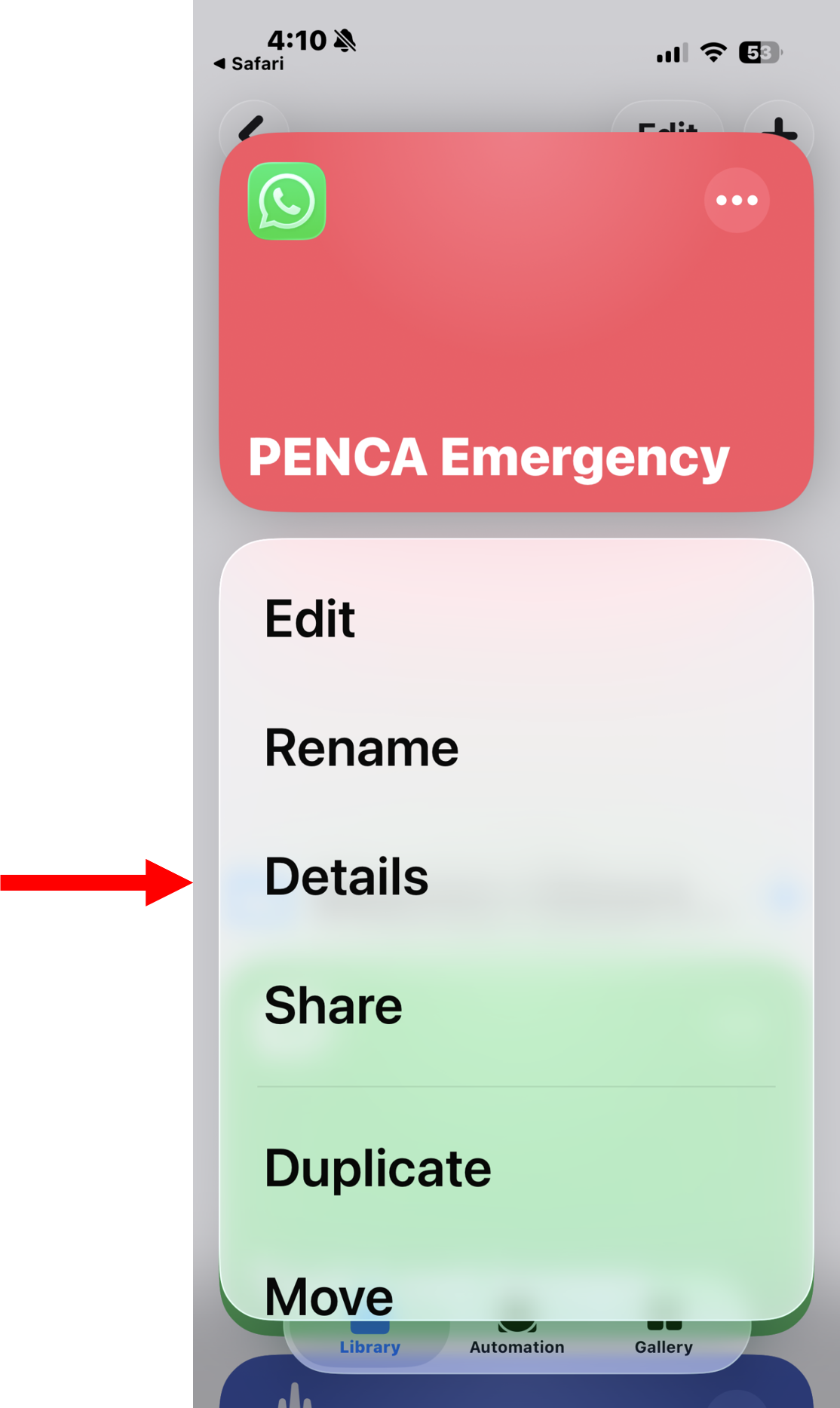
3- Tap Details
When the menu appears, tap Details.
4- Tap Add to Home Screen
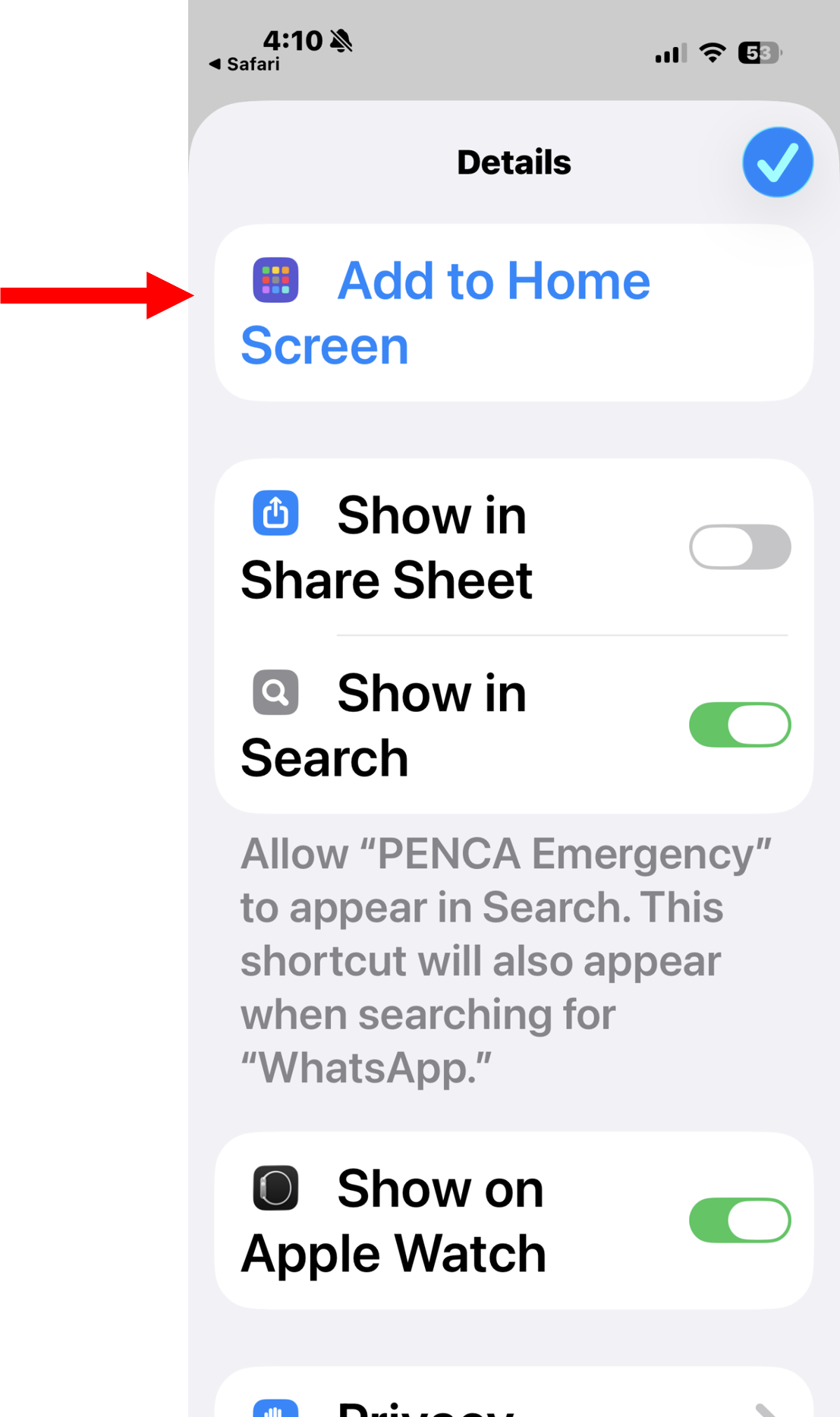
5- Tap the blue Add button
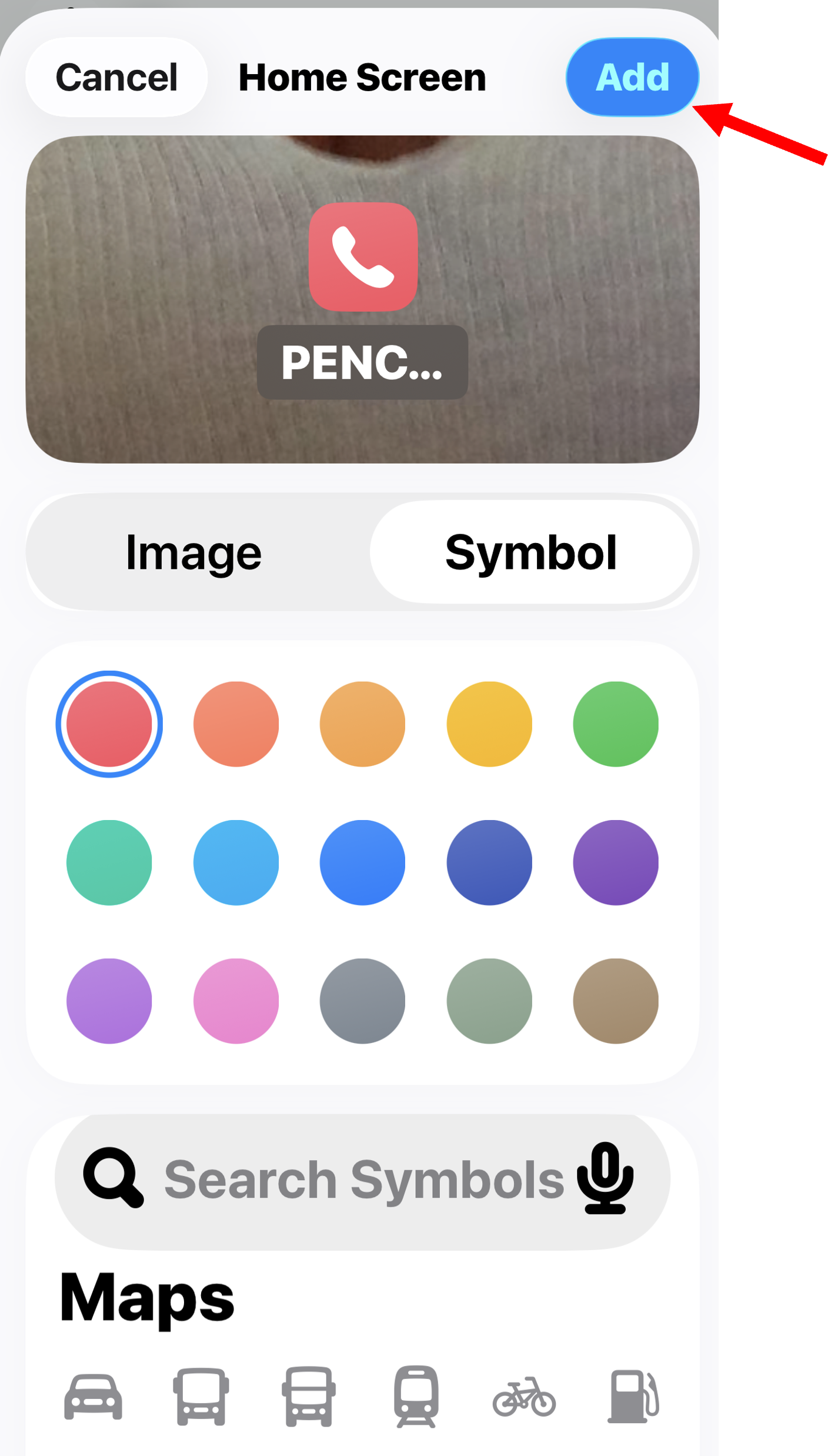
You’re Finished!
PENCA Emergency is now on your Home Screen and ready to use.
To place an emergency call, tap the red PENCA Emergency icon
Once the icon has been installed please use it to place a test call to the guards. When you call you will hear the connection, there will be a short pause and the guard will say “PENCA Emergency”. After they say that please say “I am just testing the system”. Once you say that the guards will hang up.
After the test please send an emal to penca.guards@gmail.com
In the email please put your name and Mz & lot number and add any comments or concens
If you need assistance, please refer to the PENCA website for current contact information