
PENCA Emergency
Finish Installation
Your PENCA Emergency shortcut has been installed successfully.
You’re almost done.
Now let's add the PENCA Emergency icon to your iPhone Home Screen..
Please follow the steps below in order.
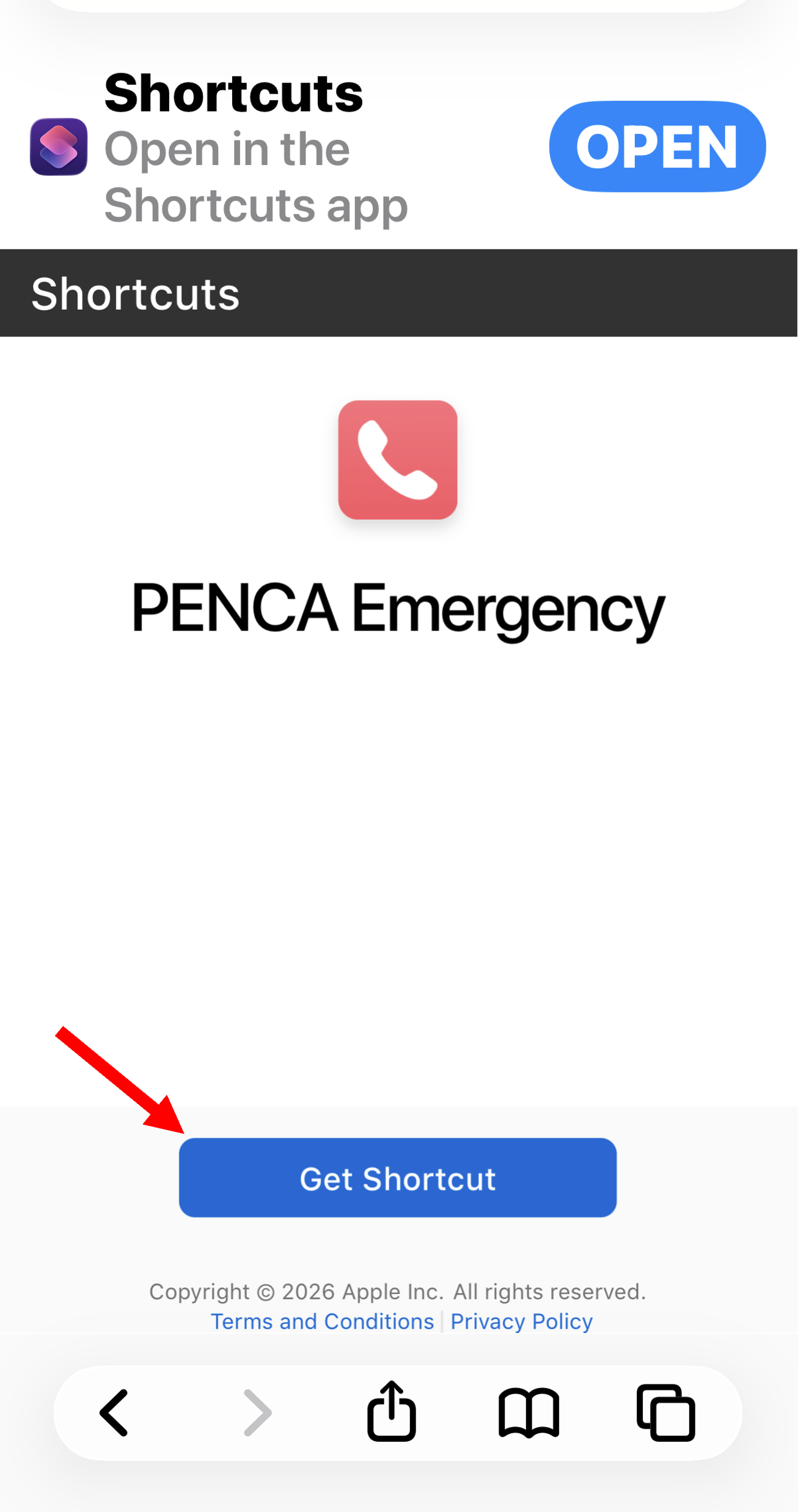
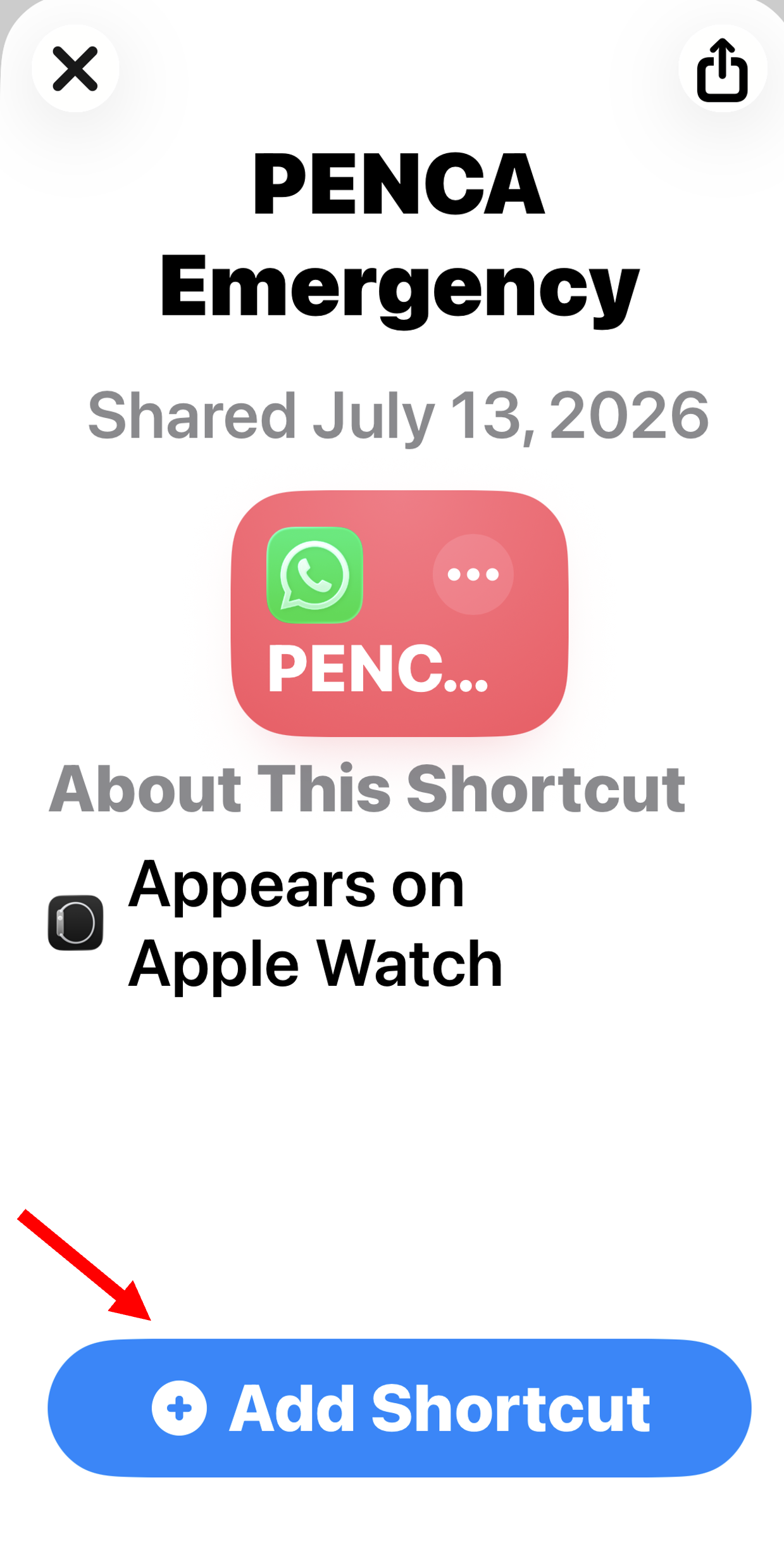
1- Tap “Get Shortcut” then on the next screen you see tap “Add Shortcut”
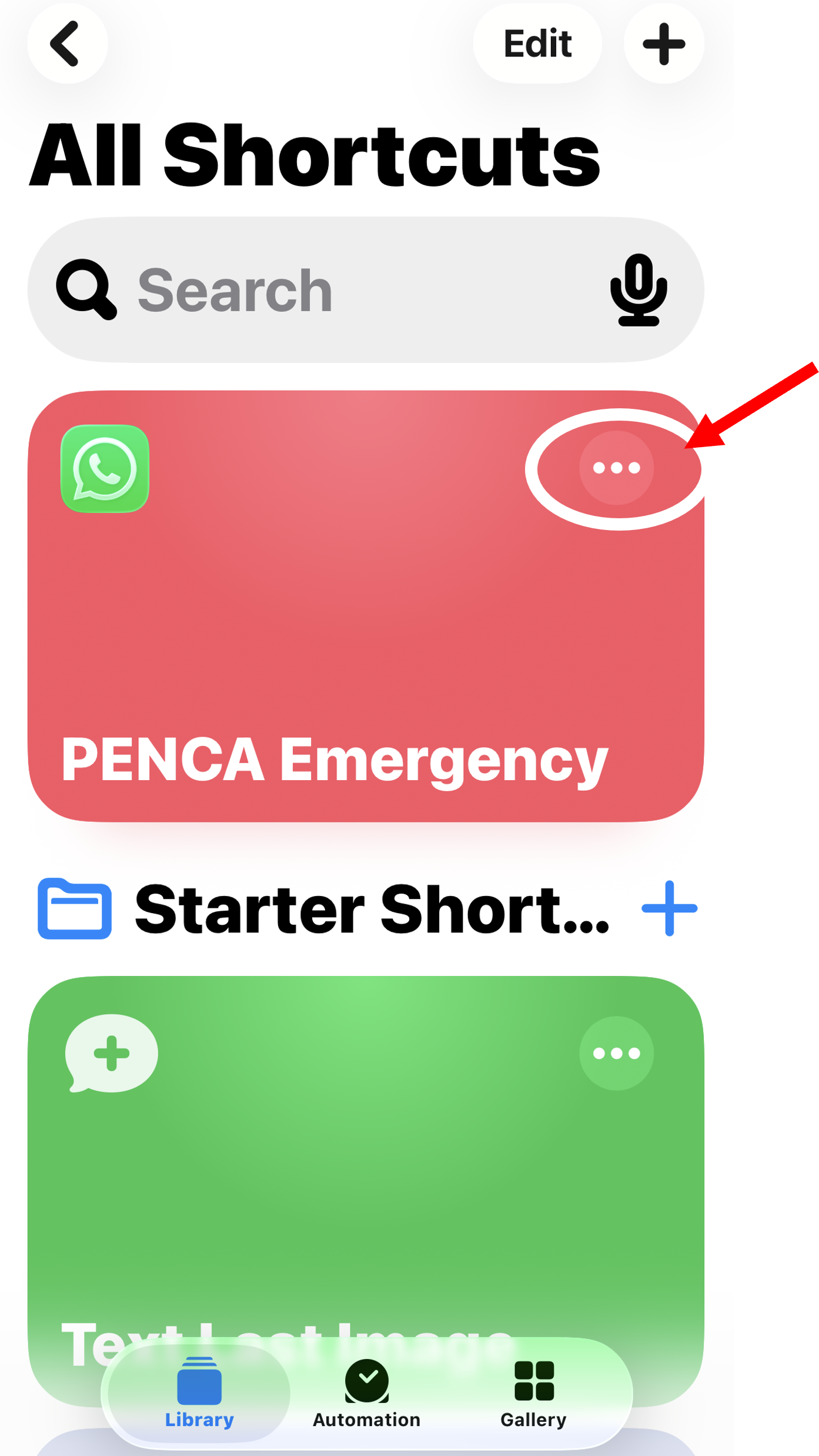
2- Tap the ••• button
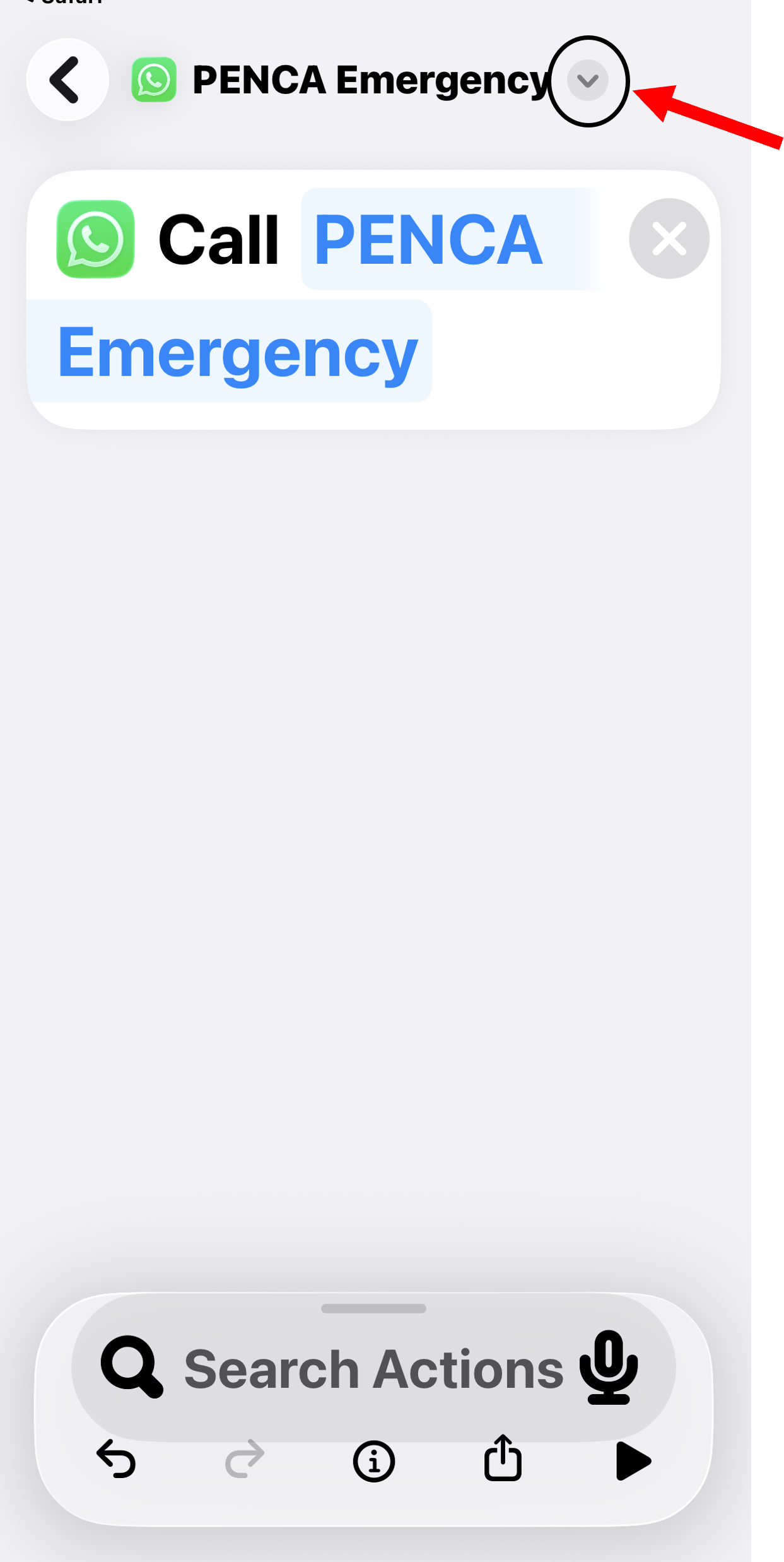
3- Tap the small arrow next to PENCA Emergency
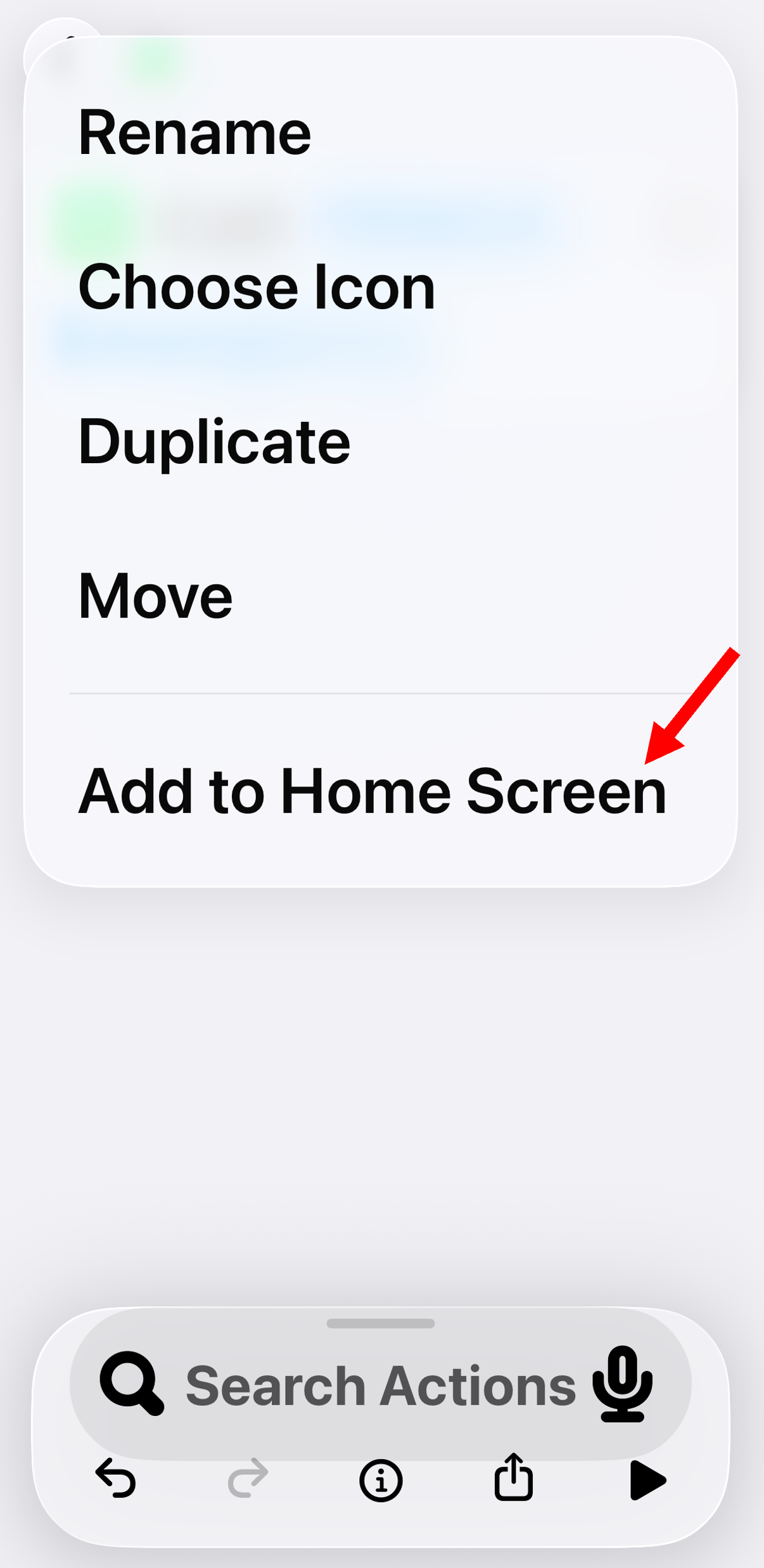
4- Tap Add to Homescreen
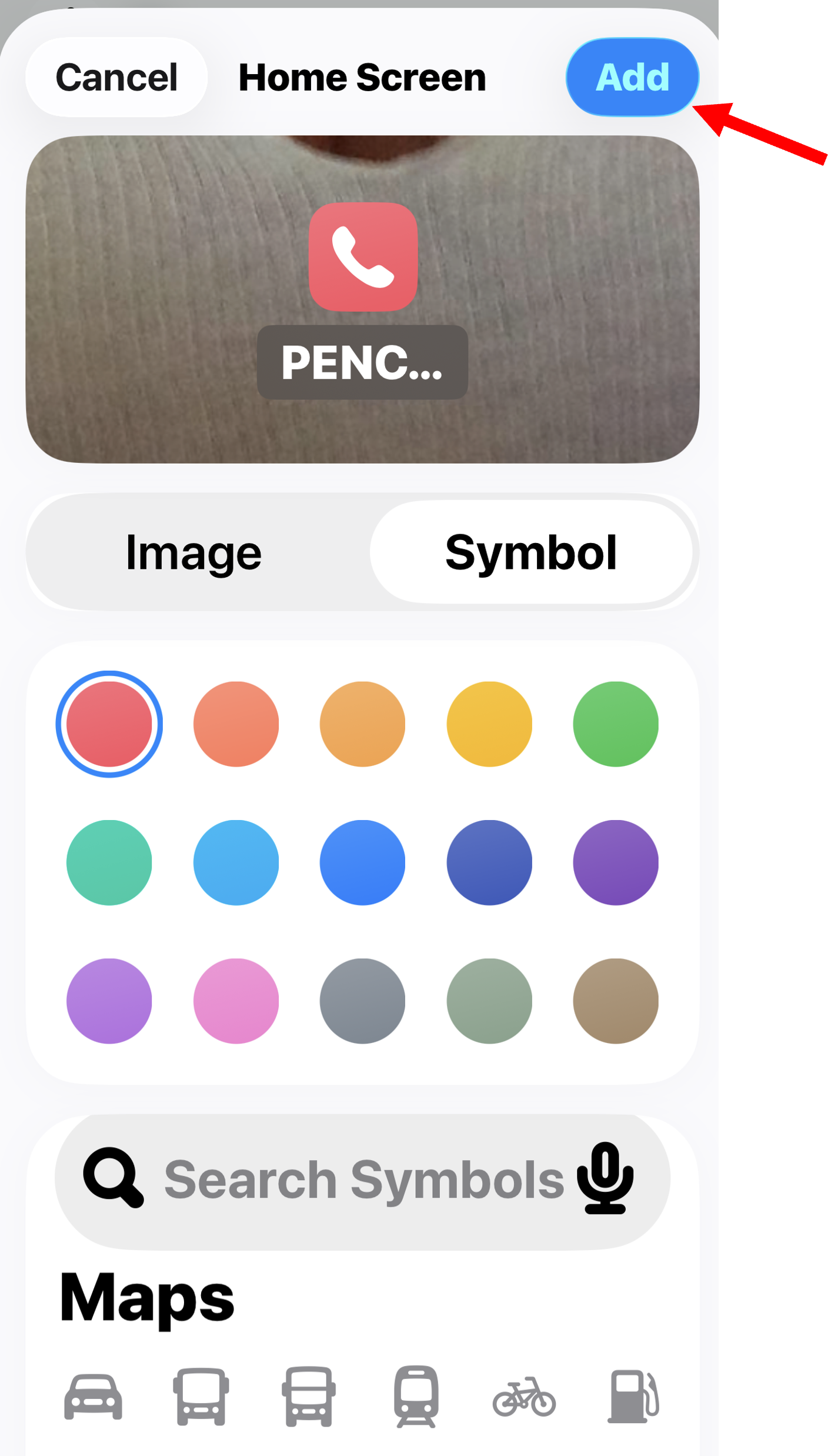
5- Tap the blue Add button
You’re Finished!